Live lobby · 07:46 BST
TruVibeFM
Your soundtrack, live.
The lobby
Where gamers and streamers leave it running
TruVibeFM is the always-on soundtrack for ranked grinds, chill queues, late raids, and live streams — hang out, request a drop, keep the session moving.
-
01 · Grind
Ranked & focus
Music with momentum for the hours you’re locked in — no dead air, no playlist babysitting.
-
02 · Stream
Live overlays
Leave the player open under your stream, then fire shout-outs when chat wants the next spin.
-
03 · After hours
Late night lobby
Party queues, cool-downs, and the 2am hang — the frequency stays open when the lobby does.
Lobby spins
What just hit the feed
Recent drops from the live mix — the same energy people are hearing in stream and in-game.
-
01

Coming Around Again
Simon Webbe · Grace
-
02

Body & Soul
Mai Tai · Mai Tai
-
03

Strangers
Sigrid · Sucker Punch
-
04
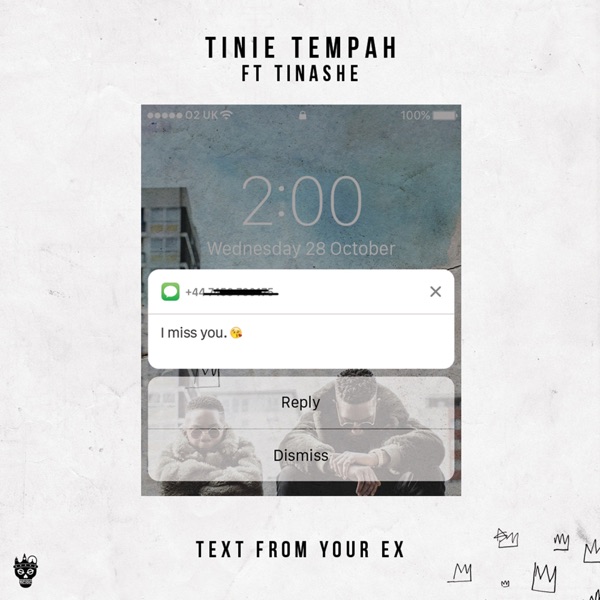
Text From Your Ex
Tinie Tempah Feat. Tinashe · YOUTH
-
05

Higher (feat. Labrinth)
Sigma feat. Labrinth · Life
-
06

This Cowboy Song (Remix) (feat. Pato Banton)
Sting · Fields of Gold: The Best of Sting 1984–1994
-
07

Got 2 Luv U
Sean Paul Feat. Alexis Jordan · Tomahawk Technique
-
08

Youth
Foxes · Glorious
-
09

Black & Gold
Sam Sparro · Sam Sparro
-
10

It's All Coming Back To Me Now
Meat Loaf · Bat Out of Hell III: The Monster Is Loose
Jump in
Make the lobby yours
Don’t lurk on mute — put a track in, dig the crates, or check what’s timed next.
01 · Request
Drop for the lobby
Queue a track with a shout-out — birthdays, raid trains, “chat picked this,” the works.
Open the request desk →02 · Library
Dig the crates
Hunt by genre and popularity when you need the exact cut for the next segment.
Explore the catalogue →03 · Schedule
Tonight’s clock
See timed segments and shows when the studio posts them — then sync your stream to the air.
View the schedule →For streamers
Run it under your stream
Hit play, keep the player parked, and let chat steer the next spin through requests. Swap to a leaner bitrate when you’re uploading.
-
Step 01
Press play and leave TruVibeFM running in the background.
-
Step 02
When chat calls a track, open requests and drop it into the queue.
-
Step 03
Pick HQ at the desk, or LQ when bandwidth is tight mid-stream.
Signal
Pick your bandwidth
Swap quality from the player anytime — crisp for the desk, lean when the upload is fighting for air.
-
HQ
High Quality
320 kbps · MP3
-
MQ
Medium Quality
128 kbps · MP3
-
LQ
Mobile / Low Bandwidth
64 kbps · MP3